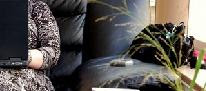
Just when you thought it was safe to come back, you've caught me at it again. This time i am testing sending photos to the blog from my phone in preparation for my travels. I knew i'd crack it in the end but i hadn't expected so many hurdles. Hope you like the photo.
Tuesday, January 15, 2008
21st cm tests mobile image posts


at 23:18 4 musing(s)
Labels: MMS, Mobile Blogging, Multimedia Messaging, ShoZu
Tuesday, January 08, 2008
21st cm Tests mobile blogging
If you can read this then i have successfully cracked mobile blogging from my nokia 95.
Hooray it works. X
------
Addendum
Setting up mobile blogging to Blogger was fairly straight forward and Blogger members can follow the full set of instructions at: www.blogger.com/mobile-start.g
The first thing that I did was to set up the mobile interface for my Yahoo account, an option that is available on the Yahoo email interface. Once this was created I sent an email from my phone via yahoo to go@blogger.com.
This triggered Blogger to create a mobile blog account. Their system then sent a "claim token" to the email address that I used via my phone.
To complete the next step, I found it easier to log onto Blogger's mobile start page from my laptop to register the claim token. Blogger then gave several options. I could choose to keep my mobile account independent of my blog, or choose to merge mobile posts with my blog. I chose to merge with the 21st CM blog.
Once I updated my account, I accessed Yahoo via my phone, created the above post and crossed my fingers (or rather pressed the send button).
My next challenge is to test out sending photos. However, until my old number is transferred to my phone I will be unable to add MMS, which I will need for emailing images. However that's only a week to go.at 22:06 2 musing(s)
Labels: Blogging, Mobile Blogging, Nokia N95 8gb
Subscribe to:
Posts (Atom)